
Home / Products / Saudi Invoicing System
Built for Saudi Arabia · ZATCA e-invoicing

Invoicing that keeps pace with how Saudi businesses actually work.

فوترة إلكترونية متوافقة مع متطلبات هيئة الزكاة والضريبة والجمارك

Standard and simplified tax invoices, VAT calculated the moment you type a price, and a full Arabic interface that isn't a translation layer bolted on afterward — Simple Invoice is the catalog-to-invoice workflow built for how KSA teams bill.
  • Standard (B2B) & Simplified (B2C) invoices
  • English & Arabic, full RTL
  • Light & dark, desktop & mobile
Invoicing that keeps pace with how Saudi businesses actually work.
VAT auto-calculated on every line
15%Standard VAT applied automatically, inclusive or exclusive pricing
2Invoice types — Standard tax invoices for B2B, Simplified for B2C
EN / ARComplete interface in both languages, not just labels
6Months of sales trend on the dashboard, at a glance
Screen 01 · Dashboard

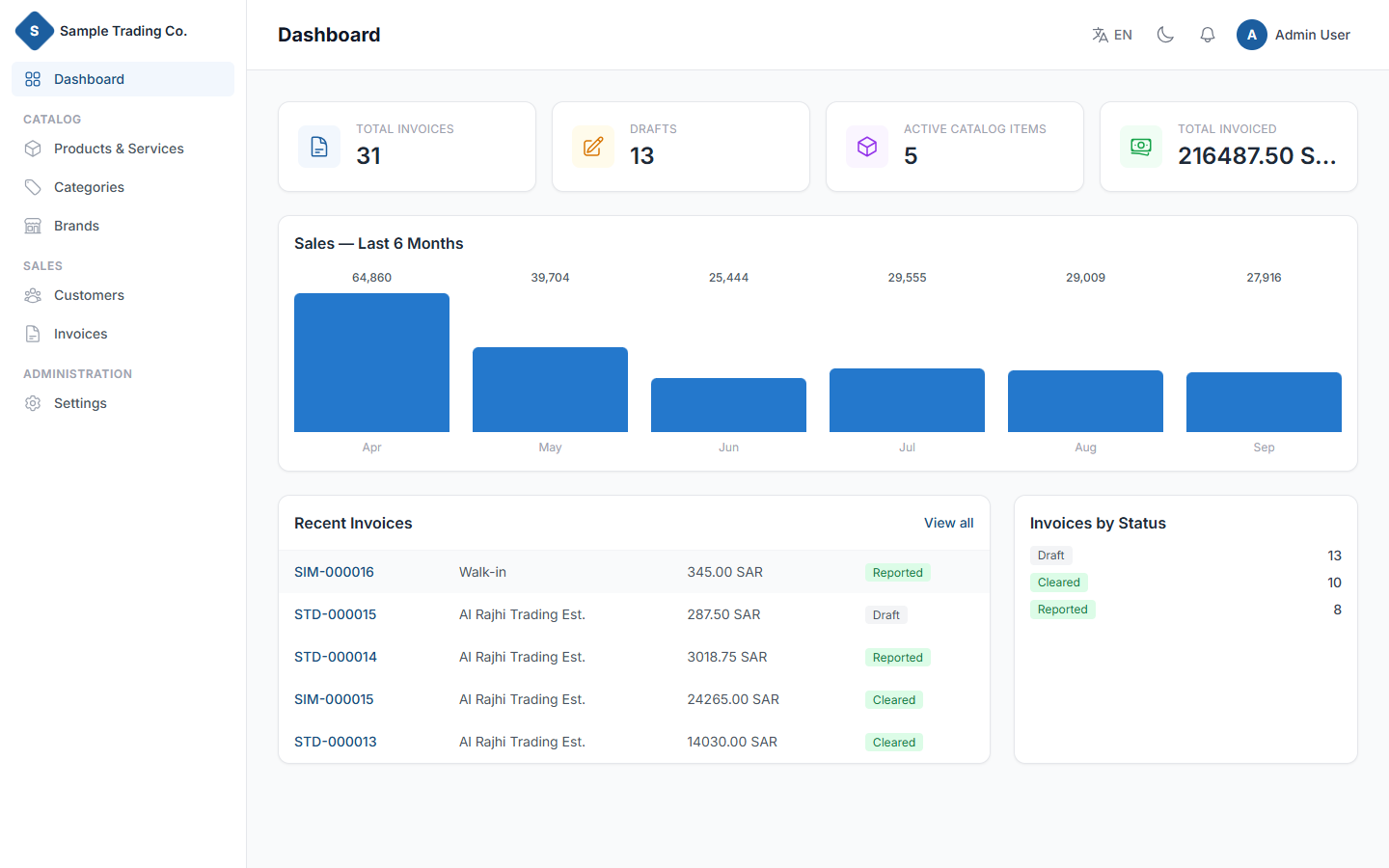
Your business, at a glance

Open the app and see what matters first: how many invoices are out, how many are still drafts, what's moving through your catalog, and how much you've billed — before you click into anything.

  • Live counts for invoices, drafts and active catalog items
  • Six-month sales trend, no spreadsheet exports needed
  • Recent invoices and a status breakdown, one click from detail
Your business, at a glance
Screen 02 · New invoice

Create a compliant invoice in under a minute

Pick Standard or Simplified, add lines straight from your catalog, and watch VAT, discounts and the total recalculate as you type. Every invoice gets its own sequential number the moment it's saved — STD-000015, SIM-000016 — tracked separately per type.
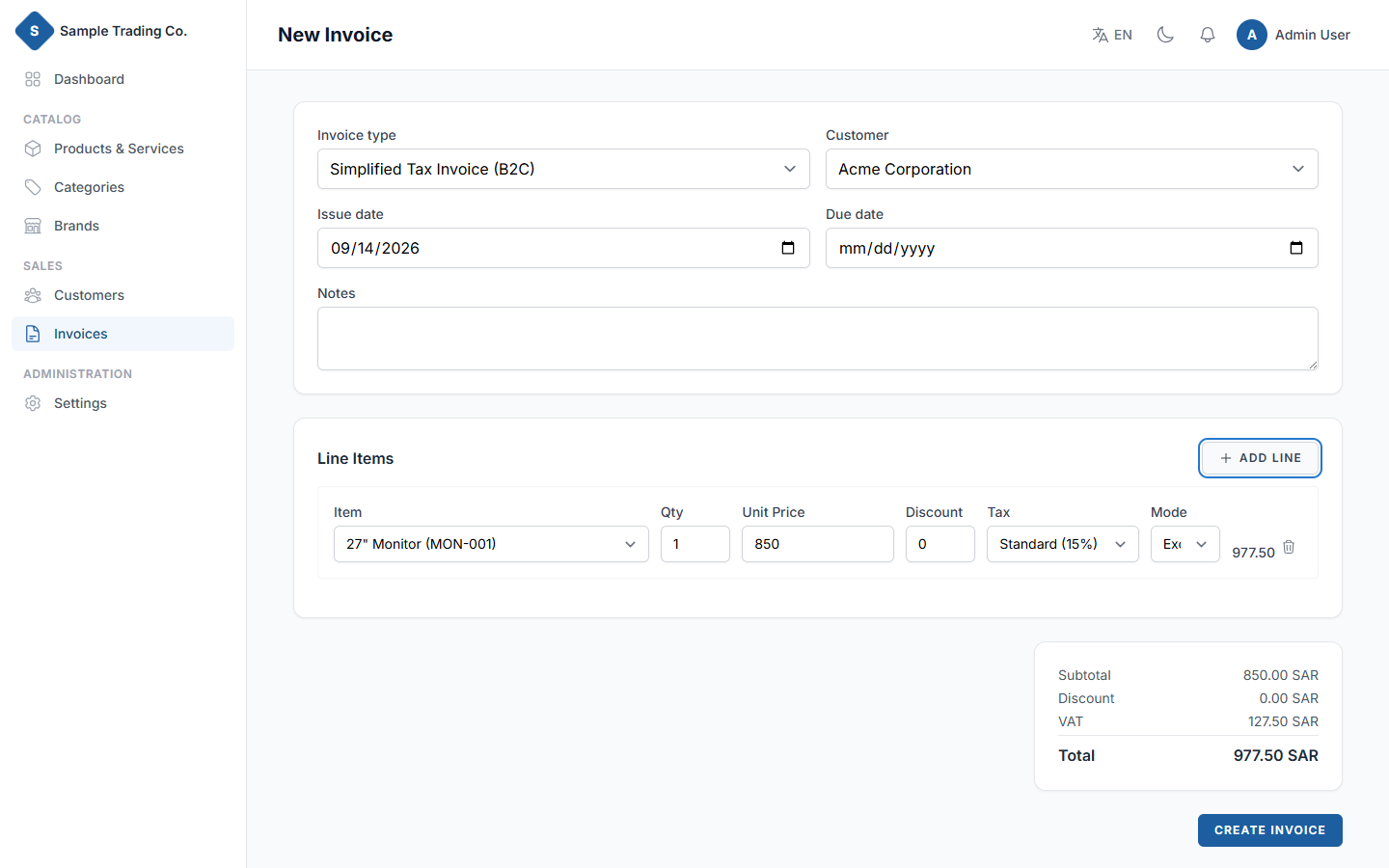
  • Standard invoices validate the customer has a VAT number and address, as B2B requires
  • Tax-inclusive or tax-exclusive pricing, per line item
  • Zero-rated and exempt tax categories where they apply
Create a compliant invoice in under a minute
Screen 03 · Invoice record

Every invoice, audit-ready

A full breakdown of every line, the subtotal, discount and VAT math behind the total, who created it and when — plus a one-click PDF. The record already carries the fields ZATCA's e-invoicing regulation asks for, so clearance and reporting slot in without a re-architecture.
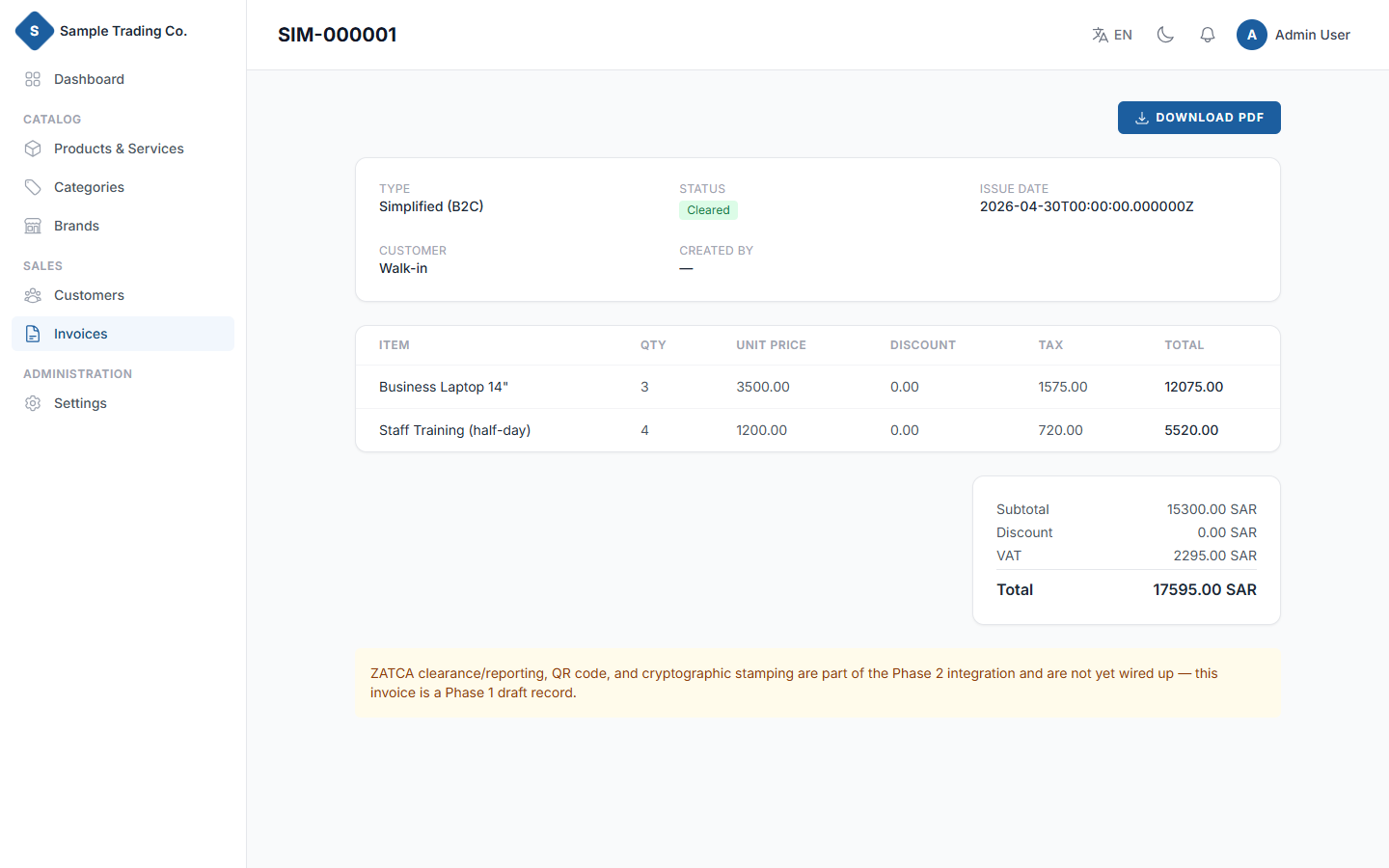
  • Draft, cleared, reported and rejected status tracked per invoice
  • UUID, hash chain and QR code fields modeled for ZATCA Phase 2
  • Downloadable PDF, formatted for the customer's file
Every invoice, audit-ready
Screen 04 · Catalog

One catalog for products and services

SKU-tracked products sit alongside hourly or day-rate services in the same list. Tag items into nested categories, assign a brand, and set the tax category and pricing basis once — every invoice line pulls it in correctly from there on.
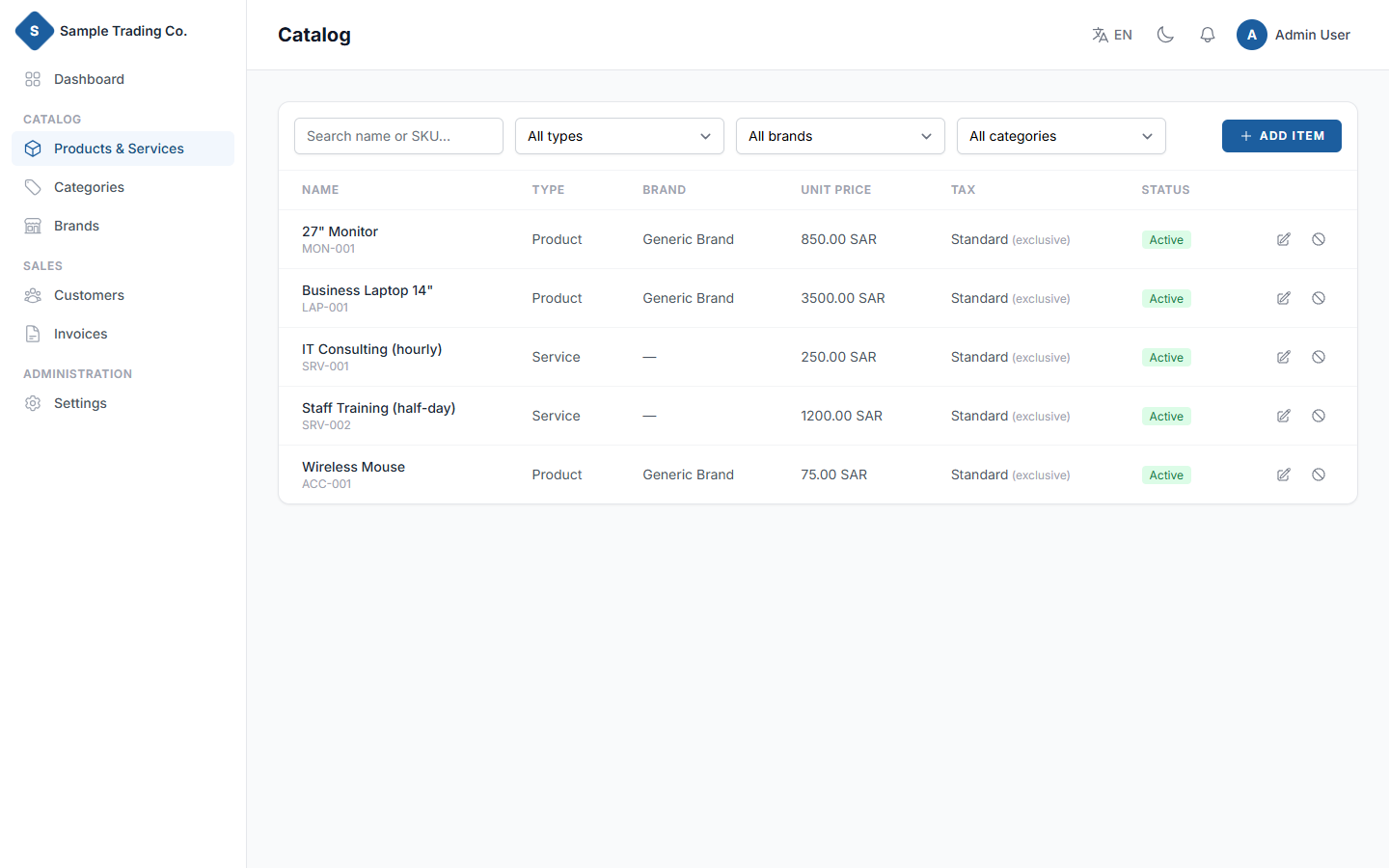
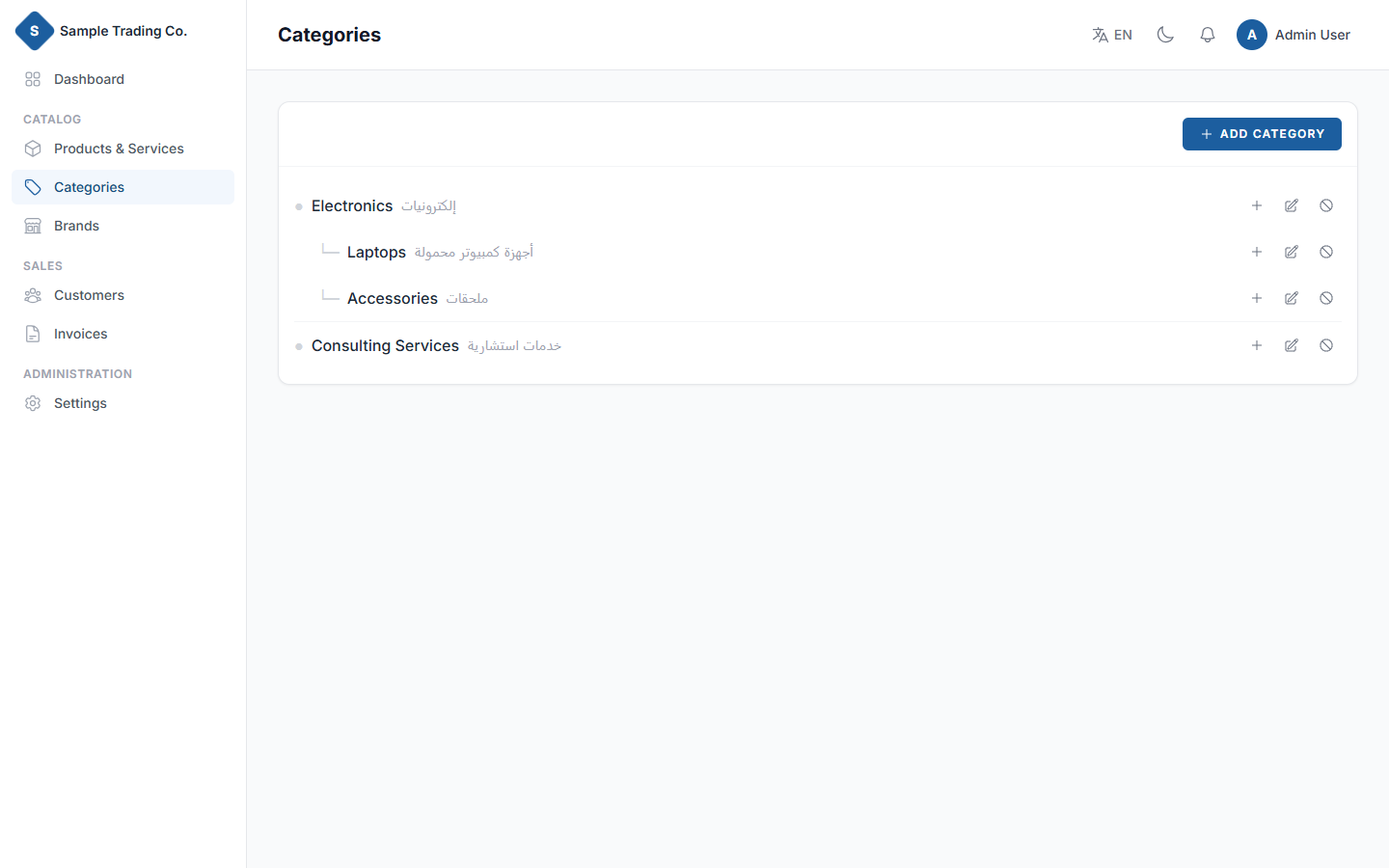
  • Nested categories — Electronics → Laptops, Accessories, and so on
  • Add a brand or category inline, without leaving the item form
  • Filter by type, brand, category or status as the catalog grows
One catalog for products and services
Nested categories — Electronics → Laptops, Accessories, and so on
Screen 05 · Language

Arabic that isn't an afterthought

تبديل فوري بين الإنجليزية والعربية — القائمة الجانبية، الجداول، النماذج، كل شيء.

One click flips the entire interface — sidebar, tables, forms, even the numeral formatting — to right-to-left. Arabic text renders in Cairo, English in Inter, so the switch reads as native either way, not like a language pack dropped onto an English layout.
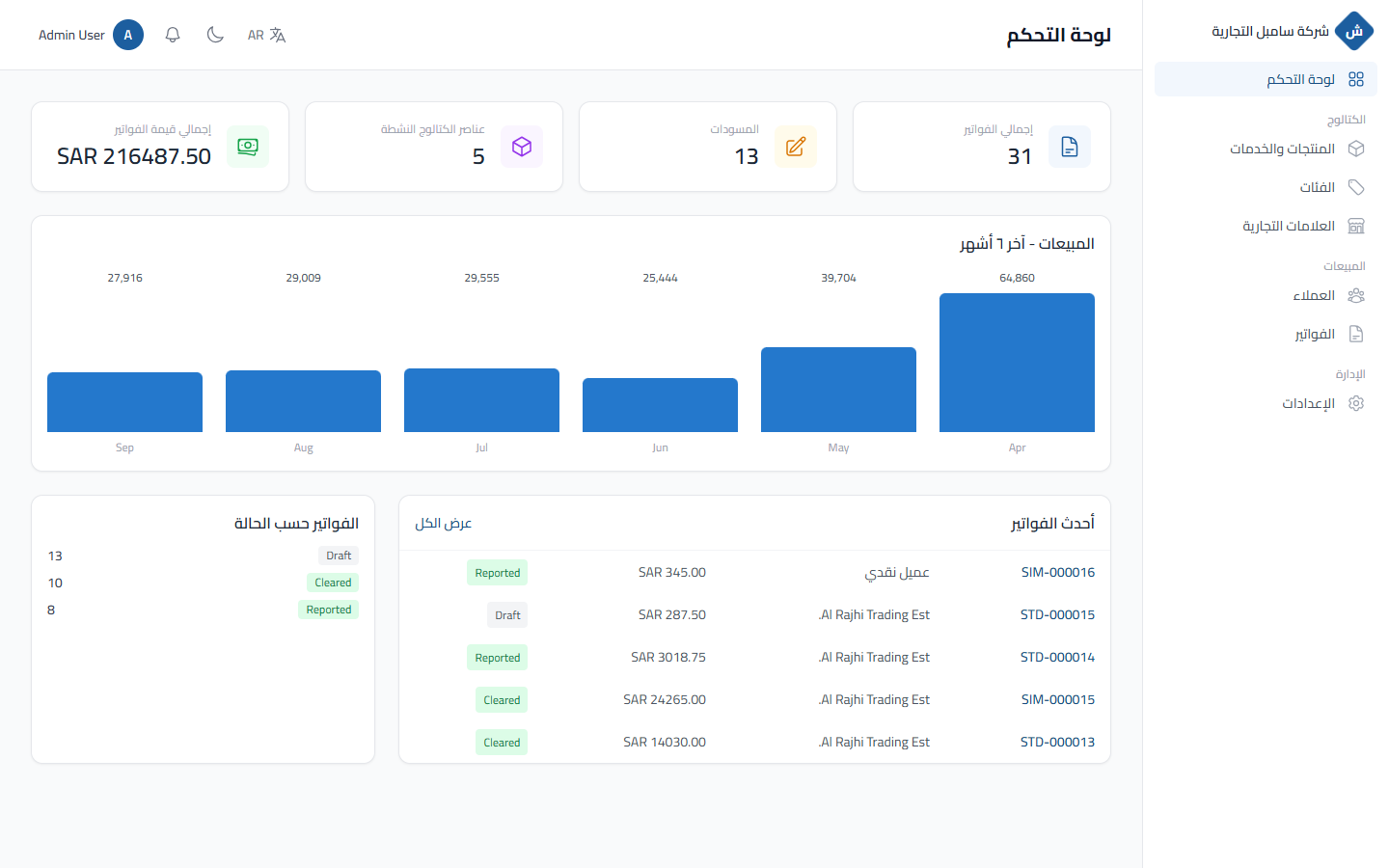
  • Every screen, every label — 240+ strings translated, not just menus
  • Layout logic flips with direction — nothing hard-coded left or right
  • Preference remembered per user, no re-selecting on every visit
Arabic that isn't an afterthought
Screen 06 · Everywhere

Light, dark, desktop or phone

Closing the books late doesn't have to mean a white screen. Switch to dark mode for long invoicing sessions, and the layout holds up just as well on a phone at the till as it does on a desktop in the back office.
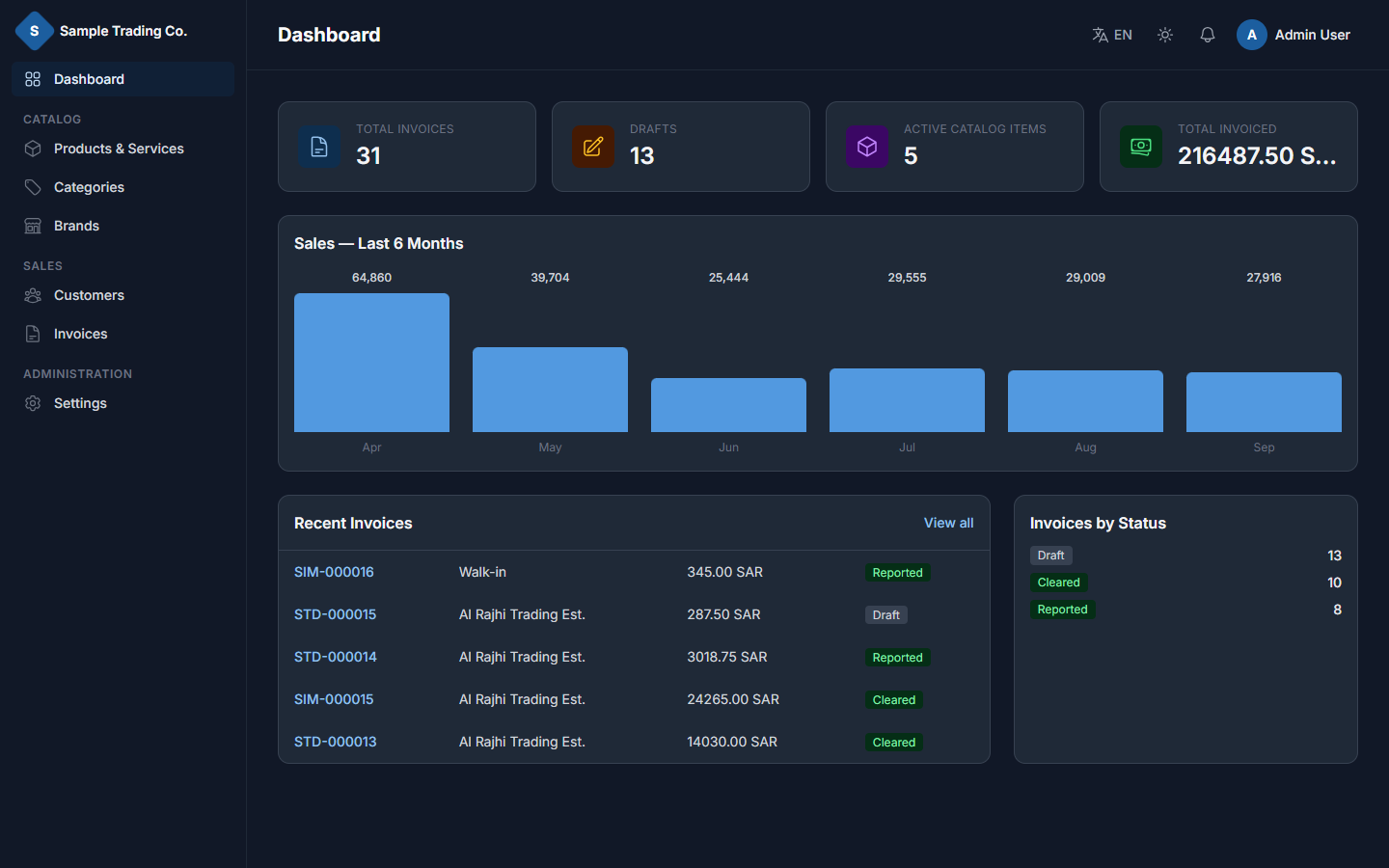
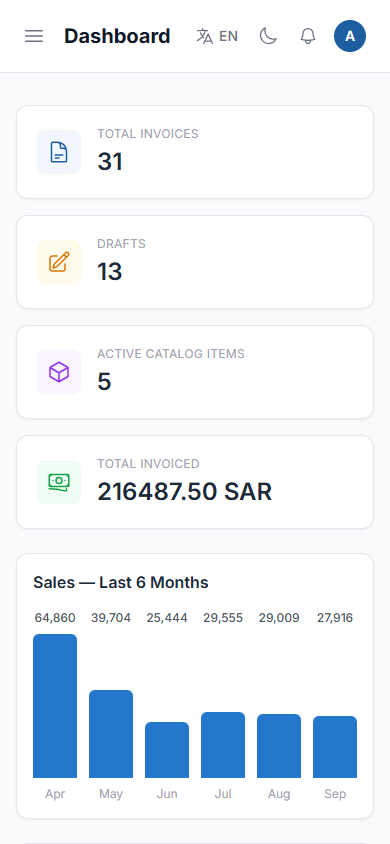
  • Theme saved per user, applied before the page even paints
  • Sidebar collapses to a slide-over on small screens
  • Tables and forms stay usable, not just visible, at phone width
Light, dark, desktop or phone
Sidebar collapses to a slide-over on small screens
How it fits together

From empty catalog to a cleared invoice

01

Build the catalog

Add products and services, tag them into categories, set tax rules once.

02

Create the invoice

Pick a customer and invoice type, add lines — VAT totals itself.

03

Track its status

Draft through cleared or reported — rejections show why, not just that.

04

Hand it off

Download the PDF today; ZATCA clearance and reporting land in Phase 2.
See Simple Invoice on your own catalog.

جرّب النظام على كتالوج منشأتك الخاص

Request a Demo

Let's Build Something Great Together

Tell us about your project and our team will get back to you with next steps — no obligation, just a conversation.

Delegate Technologies logo

We deliver innovative software, mobile applications, and AI-powered solutions tailored to your business needs. As an IT company based in Kerala, India and serving clients across Saudi Arabia, we help businesses streamline operations, enhance customer experiences, and accelerate growth

© 2026 Delegate Apps. All Rights Reserved.